Introduction
GPU server liquid cooling is becoming an increasingly important technology in modern data centers as artificial intelligence (AI), machine learning (ML), and high-performance computing (HPC) workloads demand more processing power. As GPUs become more powerful, they also generate more heat, creating new challenges for traditional server cooling systems.
For years, air cooling has been the standard approach for managing temperatures in dedicated servers. However, the growing demand for high-density GPU infrastructure is pushing data center operators to explore more advanced cooling technologies, particularly direct-to-chip liquid cooling.
This shift is already visible across the AI infrastructure industry. According to an August 2026 report from TrendForce, liquid cooling penetration among AI chips is projected to reach 53% in 2026 and approach 60% in 2027. The increasing thermal requirements of high-performance AI processors are among the major factors driving this adoption.
But does liquid cooling make traditional air-cooled GPU servers obsolete? Not necessarily.
Both cooling technologies have advantages depending on server configuration, workload requirements, rack density, infrastructure availability, and operating costs.
In this guide, we will explore how air cooling and liquid cooling work, compare their performance and efficiency, examine their maintenance requirements, and explain which technology is better suited to different GPU server workloads in 2026.
Why Do Modern GPU Servers Generate So Much Heat?
Graphics Processing Units (GPUs) are designed to perform thousands of parallel calculations simultaneously. This makes them particularly effective for computationally intensive applications such as AI model training, deep learning, scientific simulations, 3D rendering, and large-scale data processing.
However, this processing capability comes with significant power and thermal requirements.
Unlike a conventional server that primarily relies on CPU processing, a GPU server may contain multiple high-performance accelerators operating simultaneously. Each component consumes electrical power, and a substantial portion of that energy eventually becomes heat.
Several factors contribute to the increasing thermal requirements of modern GPU infrastructure.
1. High GPU power consumption
Modern data-center GPUs are designed to handle demanding computational workloads. Their power requirements can be substantial, particularly when multiple accelerators operate together in a single server.
2. Multi-GPU server configurations
A dedicated GPU server may contain multiple graphics accelerators alongside powerful CPUs, memory modules, storage devices, and high-speed networking components. All these components contribute to the overall heat load.
3. Continuous AI workloads
AI model training and inference can keep GPUs operating at high utilization for extended periods. Unlike occasional processing tasks, these workloads can generate sustained heat that cooling systems must continuously remove.
4. Increasing rack density
Data centers are installing more powerful computing systems within limited physical space. As server power consumption increases, individual racks generate more heat, making temperature management increasingly challenging.
5. High-performance interconnects
Modern AI infrastructure uses high-speed connections between GPUs, CPUs, and networking components. These systems also contribute to overall thermal requirements.
For these reasons, effective GPU server cooling is essential for maintaining stable operating temperatures, reducing thermal throttling, and supporting reliable computing performance.
How Does Traditional Air Cooling Work in GPU Servers?
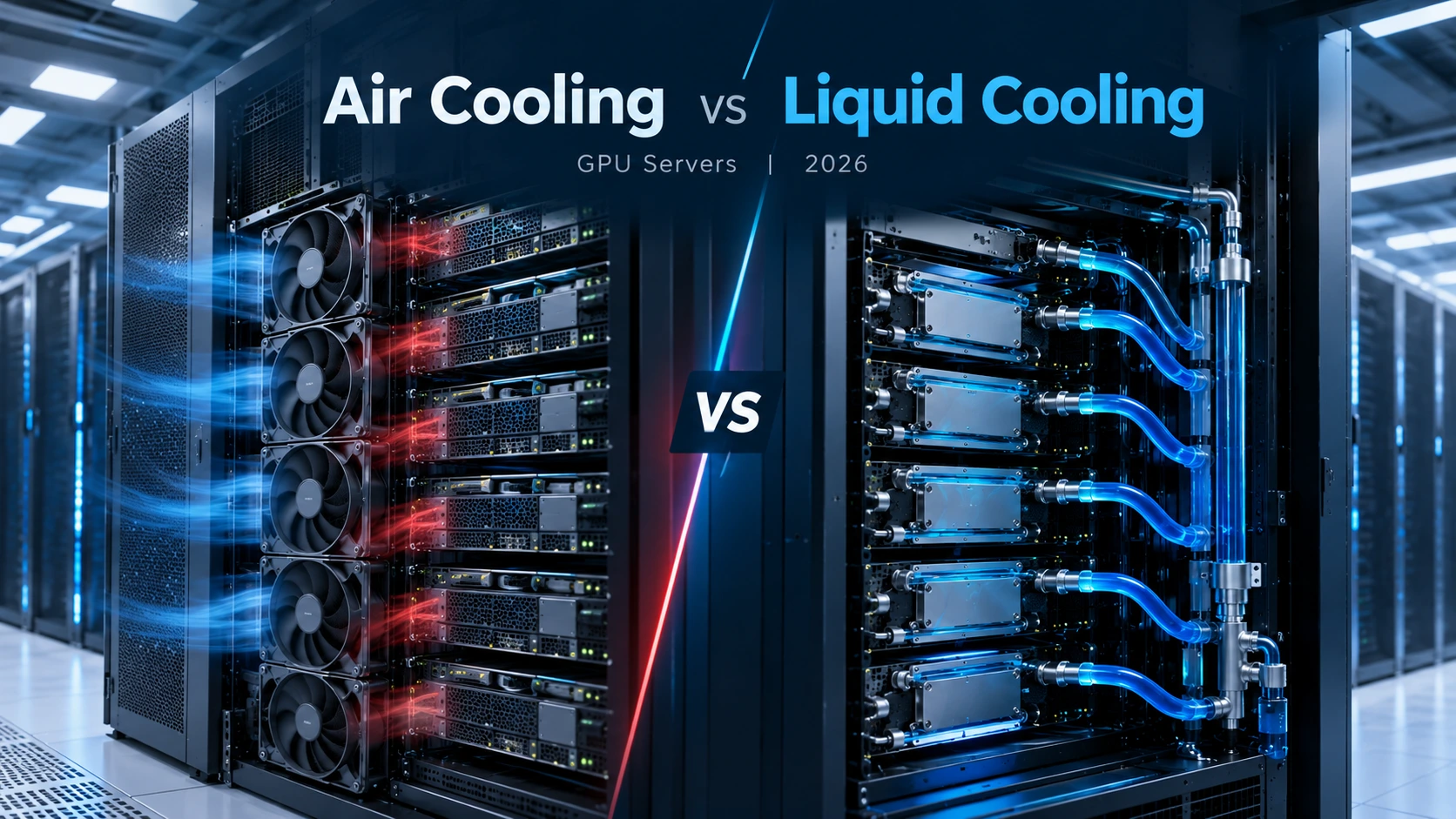
Air cooling is one of the most established data center cooling solutions. It uses fans, heat sinks, and controlled airflow to transfer heat away from processors and other internal server components.
The process begins when a GPU or CPU generates heat during operation. A heat sink attached to the component absorbs this heat and distributes it across a larger surface area.
High-speed fans then move air through the server chassis, carrying heat away from the components. The heated air exits the server and is removed through the data center's cooling infrastructure.
How the air-cooling process works
1. Heat generation: GPUs, CPUs, memory, and other components produce heat during operation.
2. Heat absorption: Heat sinks absorb heat from critical components.
3. Air circulation: Server fans push or pull air through the chassis.
4. Heat removal: Heated air exits the server and enters the hot aisle.
5. Temperature regulation: CRAC (Computer Room Air Conditioning) or CRAH (Computer Room Air Handler) systems help maintain suitable data center temperatures.
Data centers also use hot-aisle and cold-aisle configurations to improve airflow management. These arrangements help separate cool intake air from hot exhaust air, reducing unnecessary mixing and improving cooling efficiency.
Advantages of air-cooled GPU servers
Lower infrastructure complexity: Traditional air-cooling systems are widely supported by standard server designs.
Simpler maintenance: Technicians can inspect and replace fans, filters, and heat sinks using established maintenance procedures.
Broad hardware compatibility: Air cooling supports a wide range of conventional dedicated server configurations.
Lower initial investment: Existing air-cooled facilities may not require significant infrastructure changes when deploying compatible servers.
Established operational practices: Data center teams are generally familiar with airflow management and air-cooling maintenance.
Limitations of air cooling
Although air cooling remains effective for many applications, it becomes more challenging as GPU power consumption and rack density increase.
Air has a lower heat capacity than most cooling liquids. Consequently, removing large amounts of heat requires substantial airflow and effective heat-transfer surfaces.
As thermal requirements increase, cooling systems may need faster fans, improved airflow paths, and greater facility cooling capacity. This can increase energy consumption and make high-density GPU deployments more difficult to manage.
For this reason, traditional air cooling may not be the most practical solution for every next-generation AI infrastructure deployment.
How Does Liquid Cooling Work in GPU Servers?
Liquid cooling is a thermal management approach that uses circulating liquid to absorb heat from high-performance computing components and transport it away from the server.
Compared with air, liquids can transfer and carry heat more effectively under suitable operating conditions. This makes liquid cooling particularly useful for systems that generate substantial amounts of heat within a relatively small physical space.
In GPU servers, liquid cooling can target processors directly or remove heat through specialized rack-level cooling equipment.
There are several liquid-cooling technologies used in modern data centers.
1. Direct-to-chip liquid cooling
Direct-to-chip cooling is one of the most widely discussed approaches for modern AI infrastructure.
This technology uses specially designed cold plates attached directly to high-temperature components, such as GPUs and CPUs.
A coolant circulates through channels inside these cold plates, absorbing heat from the components. The heated liquid then travels through a cooling loop to a heat exchanger or Coolant Distribution Unit (CDU), where the heat is transferred to another cooling system. The cooled liquid is subsequently circulated back to the server.
Key components include:
Cold plates attached to GPUs and CPUs.
Coolant distribution manifolds.
Pumps and circulation systems.
Coolant Distribution Units (CDUs).
Heat exchangers and facility cooling loops.
Temperature, pressure, and flow sensors.
One important distinction is that direct-to-chip cooling does not necessarily eliminate all server fans. Memory, storage, power supplies, and other components may still require airflow. As a result, many direct-to-chip GPU servers use a hybrid cooling architecture.
2. Rear-door heat exchangers
Rear-door heat exchangers use liquid cooling equipment installed at the back of a server rack.
As hot exhaust air leaves the servers, it passes through a heat exchanger containing circulating coolant. The liquid absorbs heat before the air returns to the data center. This approach reduces the amount of heat released into the surrounding room.
Rear-door heat exchangers can be particularly useful for facilities that want to improve cooling capacity without completely redesigning their existing server infrastructure. Unlike direct-to-chip cooling, they primarily capture heat from server exhaust air rather than directly from GPU surfaces.
3. Immersion cooling
Immersion cooling takes a different approach by placing compatible server components or complete systems inside a tank containing a specially formulated dielectric fluid.
Because the fluid does not conduct electricity under its intended operating conditions, compatible electronic components can operate while immersed. Heat transfers from the hardware into the fluid and is subsequently removed through a heat exchanger.
There are two primary immersion cooling approaches:
Single-phase immersion cooling: The dielectric fluid remains in liquid form while absorbing and transferring heat.
Two-phase immersion cooling: The fluid changes from liquid to vapor as it absorbs heat, with the vapor subsequently condensed and returned to the liquid state.
Immersion cooling can support high-density computing environments, but it requires specialized equipment, compatible components, fluid management, and different maintenance procedures. It is not a direct replacement for conventional air-cooled server hardware without checking compatibility.
Air-Cooled vs Liquid-Cooled GPU Servers: Key Differences
Both technologies are designed to maintain safe operating temperatures, but they differ significantly in their heat-transfer methods, infrastructure requirements, and operational considerations.
| Comparison factor | Air cooling | Liquid cooling |
|---|---|---|
| Cooling medium | Air | Liquid coolant or dielectric fluid |
| Heat transfer | Heat sinks and airflow | Cold plates, liquid loops, or immersion |
| High-density racks | More challenging as heat loads increase | Well suited to high-density deployments |
| Energy consumption | Can require substantial fan and facility cooling energy | Can reduce some cooling loads, but pumps and heat rejection consume energy |
| Infrastructure | Conventional cooling equipment | Specialized cooling loops and heat exchangers may be required |
| Maintenance | Fans, filters, heat sinks, airflow | Pumps, coolant, fittings, sensors, and leak monitoring |
| Initial investment | Often lower when infrastructure already exists | May require additional equipment and facility upgrades |
| Hardware compatibility | Broad | Depends on cooling architecture and hardware design |
| Typical applications | General-purpose servers and moderate-density GPU systems | High-density AI, HPC, and advanced GPU infrastructure |
Which technology provides better heat removal?
Liquid cooling generally offers more effective heat transfer from high-power components because liquid can carry substantial amounts of heat away from the source.
Direct-to-chip cooling is particularly useful when multiple high-performance GPUs operate continuously inside a densely populated server rack.
Air cooling, however, remains effective when the server's thermal requirements are within the capabilities of the chassis airflow and facility cooling system.
The important consideration is matching the cooling technology to the actual heat load rather than assuming that one approach is suitable for every deployment.
Power Consumption and Thermal Efficiency: Which Is More Efficient?
Cooling efficiency is an important consideration when operating GPU servers because cooling infrastructure contributes to the overall electricity consumption of a data center. For organizations running AI training clusters or other demanding computing workloads, even relatively small improvements in cooling efficiency can have meaningful operational value.
Energy consumption in air-cooled systems
Air-cooled data centers rely on server fans, air circulation equipment, and facility-level cooling systems. As server power density increases, these systems may need to move larger volumes of air and operate more intensively to maintain suitable temperatures. This can increase:
Server fan power consumption.
Air conditioning requirements.
Cooling infrastructure operating costs.
Mechanical cooling demand.
Overall data center energy consumption.
Energy consumption in liquid-cooled systems
Liquid cooling can reduce the amount of heat that needs to be removed through conventional room-level air conditioning. Direct-to-chip cooling captures heat close to the GPU and CPU, allowing the facility to manage thermal loads through dedicated liquid loops.
Depending on the system design, coolant temperature, climate, and heat-rejection infrastructure, this can reduce mechanical cooling requirements. However, liquid cooling is not completely energy-free. Pumps, CDUs, heat exchangers, and external heat-rejection systems also consume electricity.
What do recent industry findings indicate?
The June 2026 report Liquid Cooling in Data Centres, published through the IEA 4E EDNA initiative, identifies potential energy savings of approximately:
8% at the server level.
30–40% at the facility level.
10–21% in overall energy consumption.
These are reported potential savings, not guaranteed results for every data center. Actual performance depends on the cooling architecture, existing infrastructure, workload, and operating conditions.
Understanding Power Usage Effectiveness (PUE)
Power Usage Effectiveness (PUE) is a commonly used metric for evaluating data center energy efficiency. It is calculated using:
$$ PUE = \frac{\text{Total Data Center Energy}}{\text{IT Equipment Energy}} $$
A lower PUE indicates that a greater proportion of the facility's electricity is being used by IT equipment rather than supporting infrastructure.
Liquid cooling can help improve data center energy efficiency by reducing certain cooling-related energy requirements. However, PUE alone does not capture every benefit, particularly heat reuse and water consumption. For a complete assessment, operators should also consider energy reuse effectiveness, water usage, cooling-system power consumption, and overall facility performance.
Maintenance, Reliability, and Infrastructure Costs
Cooling technology affects more than temperature management. It also influences the maintenance procedures, infrastructure investment, and operational planning required to run dedicated GPU servers.
Air-cooling maintenance
Air-cooled GPU servers use familiar components that are relatively straightforward to inspect and maintain. Typical maintenance activities include:
Inspecting and replacing cooling fans.
Cleaning dust filters and heat sinks.
Checking airflow paths.
Monitoring server inlet and exhaust temperatures.
Inspecting rack ventilation and cooling equipment.
These established maintenance procedures make air cooling a practical option for many conventional server deployments.
Liquid-cooling maintenance
Liquid-cooled GPU servers require additional monitoring and maintenance because they rely on fluid circulation and specialized cooling components. Depending on the architecture, operators may need to monitor:
Coolant temperature and flow rate.
Pump performance.
Coolant pressure.
Fluid quality and chemical compatibility.
Connections, fittings, and manifolds.
Leak detection systems.
Heat exchanger performance.
Leak prevention is particularly important. Proper installation, compatible materials, pressure testing, leak detection, and isolation procedures help protect expensive server hardware. Liquid cooling is not inherently unreliable. Its reliability depends on engineering quality, component selection, redundancy, monitoring, and preventive maintenance.
Infrastructure and installation costs
Air cooling often has a lower initial investment when a facility already has suitable cooling infrastructure. Liquid cooling may require additional equipment, including:
Coolant Distribution Units.
Dedicated piping and manifolds.
Cold plates.
Heat exchangers.
Specialized racks.
Facility water loops.
Monitoring and leak-detection systems.
These additional requirements can increase initial deployment costs. However, liquid cooling may become economically attractive when higher rack density, improved cooling efficiency, and reduced facility cooling requirements deliver measurable long-term benefits. Organizations should compare the total cost of ownership rather than focusing only on the purchase price of the cooling equipment.
Which Cooling Method Is Best for Different AI Workloads?
There is no universal cooling solution for every GPU server. The appropriate choice depends on computational requirements, server configuration, power density, and the available data center infrastructure. Let's examine some common applications.
1. AI model training
AI model training can involve multiple GPUs working together for extended periods. Large language models, deep learning systems, and complex neural networks may require substantial computational resources and generate significant heat.
For high-density AI training environments, direct-to-chip liquid cooling can be an effective approach because it removes heat directly from high-power processors. Air cooling may still be appropriate for smaller GPU training systems when their thermal requirements are within the facility's capabilities.
2. AI inference and machine learning applications
AI inference involves using trained models to generate predictions, process requests, and perform automated tasks. The cooling requirements depend on the number of GPUs, request volume, utilization patterns, and deployment scale.
Smaller inference environments can operate effectively with air-cooled GPU servers. Large-scale inference platforms with sustained utilization and high rack density may benefit from liquid cooling.
3. High-performance computing (HPC)
High-performance computing environments perform complex calculations for scientific research, engineering simulations, financial modelling, and advanced analytics. These workloads often require continuous processing and multiple accelerators.
Liquid cooling can support high-density HPC deployments by managing the heat generated by powerful processors and GPUs.
4. 3D rendering and graphics processing
Rendering workloads use GPUs to process complex graphics, animations, visual effects, and digital content. The cooling requirements depend on rendering duration, GPU configuration, and system utilization.
Air-cooled GPU servers are often sufficient for moderate rendering workloads, while larger rendering farms may require more advanced thermal management.
5. Development, testing, and smaller GPU deployments
Development environments, AI experimentation, software testing, and smaller machine learning projects may not require high-density cooling infrastructure.
For these applications, traditional air-cooled GPU servers can provide a practical balance between performance, deployment simplicity, and operating costs.
The key takeaway: High-density AI training and HPC environments are stronger candidates for liquid cooling, while moderate GPU workloads can often operate effectively with air cooling.
Why Hybrid Cooling Is Becoming Important in Modern Data Centers
Although liquid cooling is gaining attention, modern data centers do not necessarily need to replace every air-cooled server. A hybrid cooling architecture combines air cooling and liquid cooling within the same facility.
For example, a data center can use conventional air cooling for general-purpose dedicated servers while deploying direct-to-chip liquid cooling for high-density GPU infrastructure. This approach offers several advantages:
Supports different server configurations within one facility.
Allows high-density GPU systems to use specialized cooling.
Reduces the need to redesign the entire data center.
Helps organizations scale AI infrastructure gradually.
Makes it possible to retain existing air-cooling infrastructure.
ASHRAE's AI data center guidance also emphasizes matching cooling architecture to rack density, including liquid or liquid-assisted systems for high-density AI clusters while retaining air cooling for lower-density zones.
For organizations expanding their computing infrastructure, hybrid cooling can provide a practical transition toward more advanced data center cooling solutions.
What Should You Consider When Choosing a GPU Dedicated Server?
Cooling is an important part of GPU infrastructure, but it should not be the only factor when selecting a dedicated GPU server. The server's hardware configuration, memory capacity, storage performance, network connectivity, and workload requirements also influence overall performance.
Before choosing a GPU dedicated server, consider the following factors.
GPU model and VRAM capacity
Different GPU models are designed for different computational workloads. For example, AI training and large language model applications may require GPUs with substantial high-bandwidth memory (HBM), while rendering and inference workloads may have different requirements. Choose a GPU configuration that matches your application's processing and memory requirements.
CPU performance
The CPU coordinates system operations, handles data preparation, and supports communication between hardware components. An appropriately configured CPU helps prevent processing bottlenecks in GPU-intensive applications.
System RAM
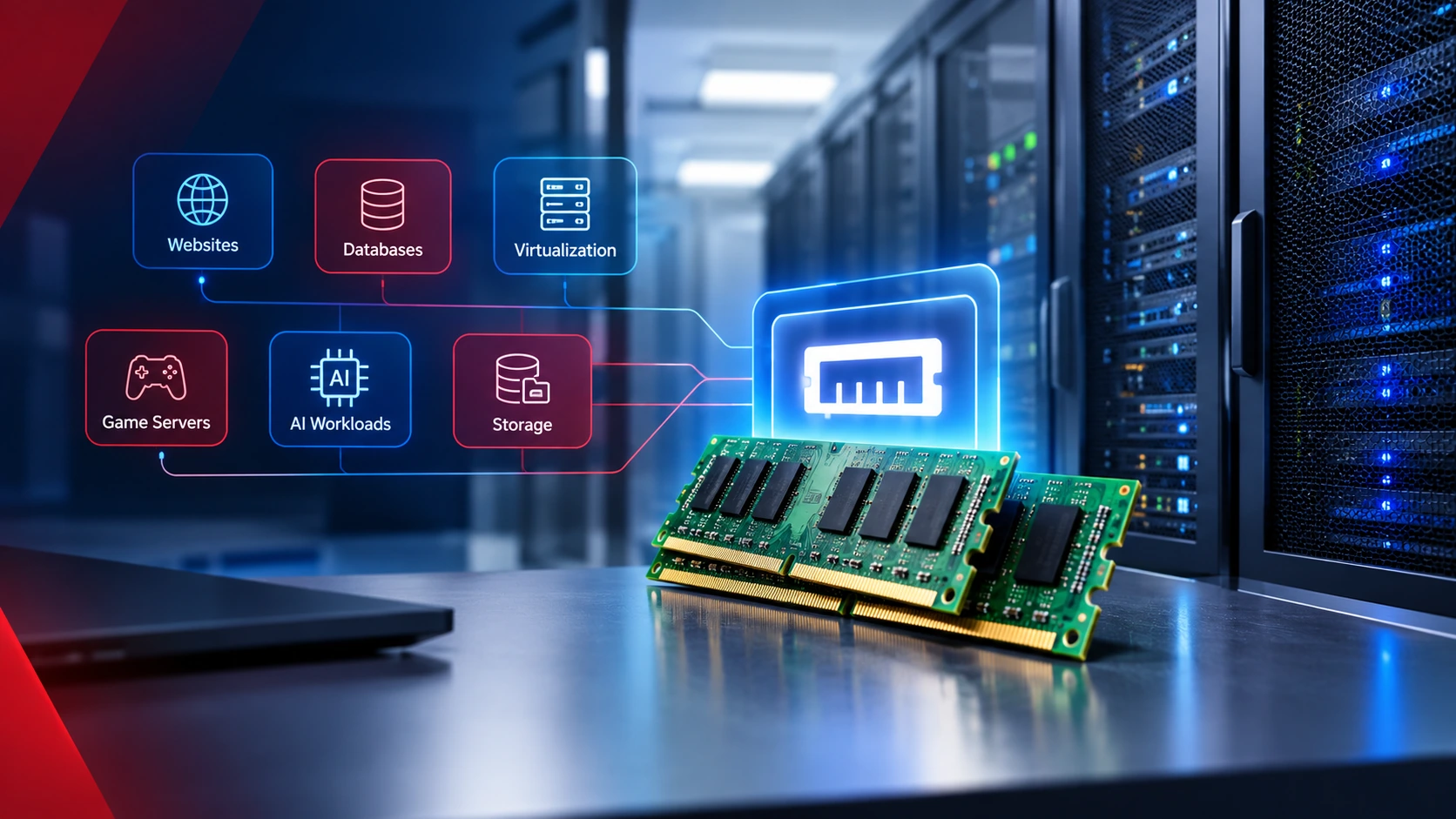
Adequate system memory is important for loading datasets, managing application processes, and supporting complex computational workloads. Insufficient RAM can restrict overall system performance even when powerful GPUs are available.
NVMe storage
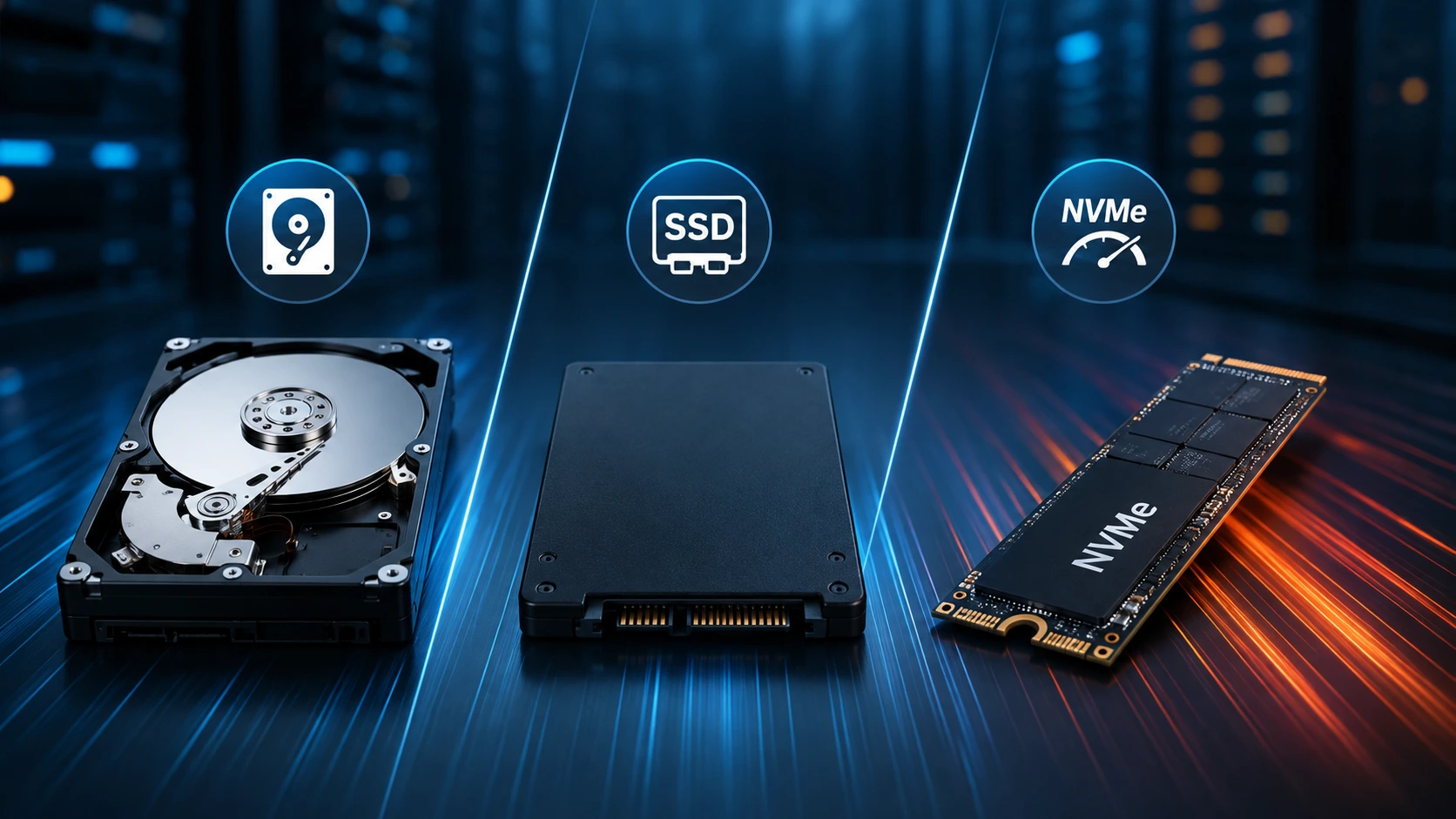
High-speed NVMe SSDs can improve data access and reduce storage-related bottlenecks when working with large datasets, model files, and training workloads.
Network connectivity
AI infrastructure may require high-bandwidth, low-latency networking for data transfers and communication between distributed computing systems. Network requirements should be evaluated alongside GPU performance, particularly for multi-server deployments.
Cooling capacity
Always verify that the server and data center can support the thermal requirements of your selected GPU configuration. If liquid cooling is a requirement, confirm the exact cooling architecture and its compatibility with the server hardware. Direct-to-chip cooling, rear-door heat exchangers, and immersion cooling are different technologies. A provider should clearly identify which one is supported rather than using the general term liquid cooling without further explanation.
Explore GPU Dedicated Servers from KW Servers
Organizations working with artificial intelligence, machine learning, deep learning, rendering, and high-performance computing need dedicated infrastructure capable of handling demanding computational workloads.
KW Servers provides GPU dedicated server solutions designed for accelerated computing applications. With NVIDIA and AMD GPU options, customizable hardware configurations, SSD and NVMe storage, and dedicated server resources, businesses can select infrastructure according to their processing requirements.
KW Servers GPU dedicated servers support applications such as:
Artificial intelligence and machine learning.
Deep learning model development.
AI inference and data processing.
High-performance computing.
3D rendering and graphics processing.
Scientific computing and simulations.
Whether you are developing AI applications, processing large datasets, or running computationally intensive workloads, choosing the right GPU configuration is essential for achieving consistent performance.
Explore KW Servers GPU Dedicated Servers to review available configurations and find a suitable dedicated GPU server for your workload.
Note: Cooling configurations can vary by server model and data center. Contact KW Servers to confirm the cooling specifications of a particular configuration. This article does not imply that all KW Servers GPU servers are liquid-cooled.
Frequently Asked Questions About GPU Server Liquid Cooling
1. Is liquid cooling better than air cooling for GPU servers?
Liquid cooling generally provides more effective heat transfer from high-power components and is particularly suitable for high-density GPU servers. Air cooling remains practical for moderate-density deployments and workloads that fit within the facility's cooling capacity. The best option depends on server power, rack density, infrastructure, and operating costs.
2. What is GPU server liquid cooling?
GPU server liquid cooling is a thermal management technology that uses circulating coolant to absorb heat generated by graphics processing units and other server components. Common approaches include direct-to-chip cooling, rear-door heat exchangers, and immersion cooling.
3. Do liquid-cooled GPU servers still require fans?
Some liquid-cooled GPU servers still require fans. Direct-to-chip cooling typically removes heat from GPUs and CPUs, while other components, such as memory, storage, and power supplies, may continue to rely on airflow. The exact configuration depends on the server design.
4. Does liquid cooling reduce data center energy consumption?
Liquid cooling can reduce certain cooling-related energy requirements by capturing heat more efficiently and reducing reliance on conventional air conditioning. However, pumps, CDUs, and heat-rejection equipment also consume energy. Actual savings depend on facility design, operating conditions, and cooling architecture.
5. Is direct-to-chip cooling the same as immersion cooling?
No. Direct-to-chip cooling uses cold plates attached to components such as GPUs and CPUs, with coolant circulating through internal channels. Immersion cooling places compatible hardware inside a tank containing dielectric fluid. Both use liquid to remove heat, but their hardware requirements and maintenance procedures differ.
6. Is liquid cooling necessary for AI servers in 2026?
Not every AI server requires liquid cooling. Smaller AI deployments, development environments, and moderate-density GPU systems can operate effectively with air cooling. High-density AI training clusters and powerful GPU racks are stronger candidates for liquid-cooling technologies.
7. Can existing data centers upgrade from air cooling to liquid cooling?
Yes, some existing data centers can adopt liquid-assisted cooling technologies without completely replacing their current infrastructure. Options such as rear-door heat exchangers and selected direct-to-chip systems may support gradual upgrades. However, the facility must have sufficient cooling capacity, compatible racks, and appropriate liquid distribution infrastructure.
8. What is a Coolant Distribution Unit (CDU)?
A Coolant Distribution Unit is a component used in liquid-cooling infrastructure to circulate and manage coolant. It typically controls flow, temperature, and pressure while transferring heat between the server-side cooling loop and the facility-side cooling system.
9. What is the difference between air cooling and liquid cooling in terms of maintenance?
Air cooling primarily requires fan, filter, heat sink, and airflow maintenance. Liquid cooling introduces additional requirements, including coolant monitoring, pump inspection, leak detection, fluid quality management, and connection checks. Both technologies require regular maintenance to maintain reliable operation.
10. Which cooling method is suitable for high-performance computing?
Liquid cooling is often suitable for high-density HPC environments because it can remove substantial heat from powerful CPUs and GPUs. However, air cooling may remain sufficient for smaller HPC deployments. The final choice depends on processing density, hardware configuration, and facility capabilities.
Conclusion: Choosing the Right Cooling Technology for GPU Servers in 2026
The growing demand for artificial intelligence, machine learning, and high-performance computing is changing how modern data centers manage server temperatures.
Air cooling remains a reliable and practical technology for many dedicated server environments. However, as GPU power consumption and rack density increase, liquid cooling is becoming an important option for managing the thermal requirements of advanced AI infrastructure.
Direct-to-chip cooling, rear-door heat exchangers, and immersion cooling offer different approaches to removing heat from high-performance computing systems. Each technology has its own infrastructure requirements, operational considerations, and potential efficiency benefits.
Rather than choosing liquid cooling simply because it is newer, organizations should evaluate their actual workloads, server configurations, cooling capacity, maintenance requirements, and long-term operating costs.
For businesses investing in GPU infrastructure, the right combination of processing power, memory, storage, networking, and thermal management is essential for building reliable and scalable computing environments.
As AI workloads continue to grow, choosing the right GPU server and cooling architecture will become an increasingly important part of long-term infrastructure planning.