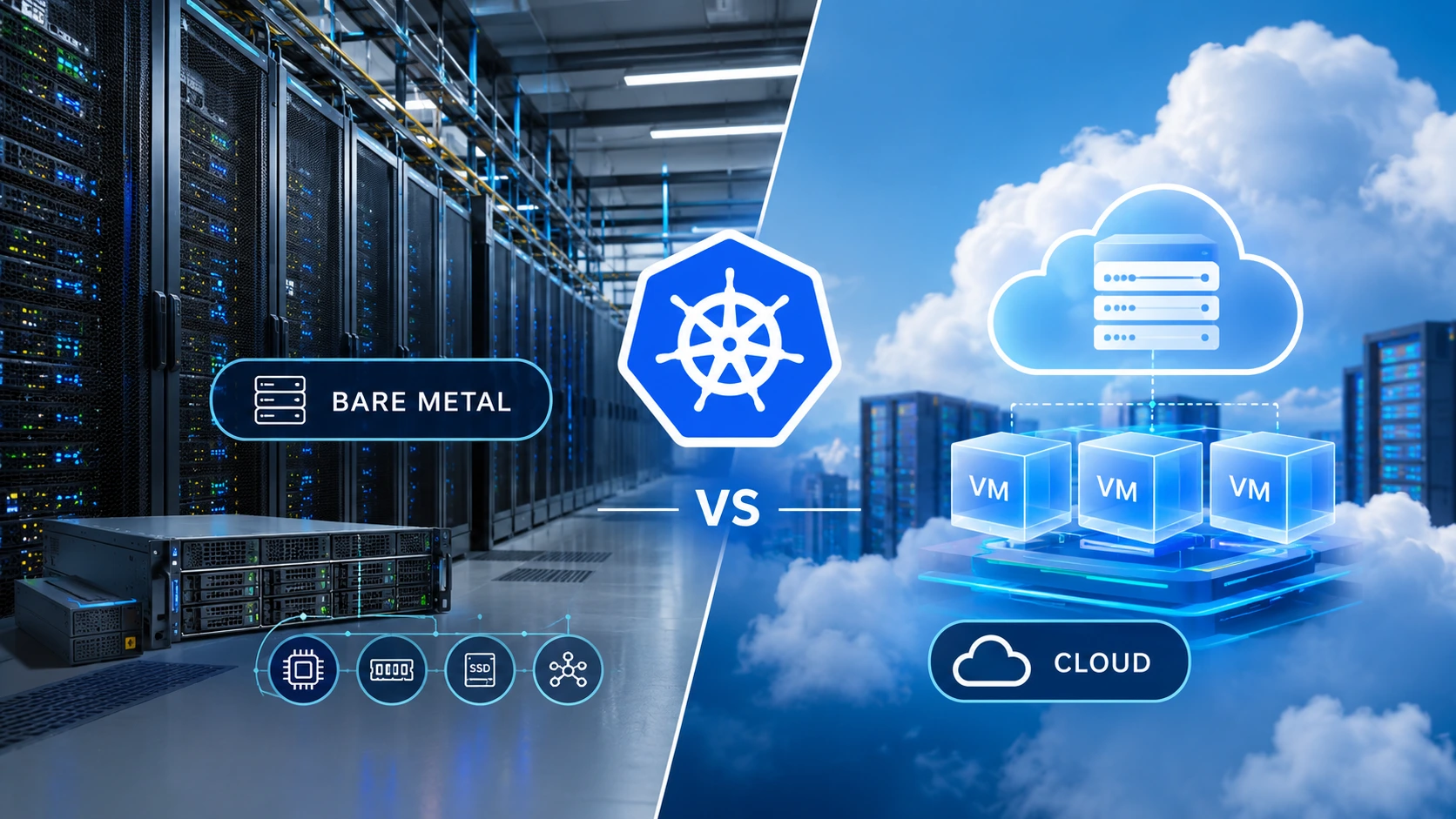
Kubernetes on bare metal vs cloud is one of the first infrastructure decisions a platform team has to make, and it shapes monthly cost, application latency, operational workload and long-term flexibility. Both models can run production-grade clusters. The difference is how compute, storage and networking are delivered, and who is responsible for each layer.
In short: bare metal Kubernetes runs your nodes on physical dedicated servers, so your pods get direct access to CPU, memory, NVMe storage and network interfaces. Cloud Kubernetes runs on virtual machines, often with a managed control plane, which makes it faster to launch and easier to scale up and down. Bare metal tends to reward steady, resource-heavy workloads. Cloud tends to reward variable demand and small teams that want managed operations.
This guide compares the two on cost, performance, scalability, security and operations, then gives you a practical method to decide with your own workload data. It is written for DevOps engineers, platform teams, CTOs and developers evaluating dedicated servers for a self-managed Kubernetes cluster.
Quick Comparison: Bare Metal Kubernetes vs Cloud Kubernetes
| Factor | Bare metal Kubernetes (dedicated servers) | Cloud Kubernetes (VMs / managed service) |
|---|---|---|
| Compute | Whole physical CPU and RAM assigned to your node; no customer-facing hypervisor layer | Virtualized instances; performance varies by instance family and host |
| Pricing model | Fixed monthly or contract pricing; you pay for capacity whether used or idle | Usage-based or commitment-based; cost follows scaling, storage and data transfer |
| Storage | Local NVMe or SSD with full control over drive layout; needs replication for resilience | Network-attached block, file and object storage with managed snapshots |
| Network | Control over NICs, VLANs, routing and bandwidth; often generous included transfer | Mature virtual networking; cross-zone traffic and egress may be billed |
| Scaling | Planned; add servers as sustained demand grows | Fast; autoscaling and node groups within quotas |
| Operations | You manage the cluster, OS and hardware integrations (with provider support) | Managed control plane can reduce admin work |
| Best fit | Stable, high-utilization, performance-sensitive or data-heavy workloads | Variable, experimental or fast-expanding workloads |
What Is Kubernetes on Bare Metal?
Bare metal Kubernetes means your Kubernetes nodes run directly on physical servers rather than on virtual machines provided by a public cloud. Each worker node uses the server's own CPU cores, memory, storage controllers and network interfaces. The control plane (the API server, scheduler, controller manager and etcd datastore) can run on dedicated servers as well.
Teams usually build a bare metal cluster in one of two ways: renting dedicated servers from a hosting provider, or buying hardware and placing it in a colocation facility. Renting dedicated servers avoids the capital cost and the hardware lifecycle burden, while still giving you root access and a single-tenant environment.
In a self-managed Kubernetes cluster, your team typically chooses and maintains:
The operating system and kernel settings
A container runtime such as containerd or CRI-O
A cluster installer or distribution (for example kubeadm, RKE2, k3s or Talos Linux)
A CNI networking plugin such as Cilium or Calico
A load-balancing approach for services, such as MetalLB or BGP-based routing
A storage layer such as local persistent volumes, Rook-Ceph or Longhorn
Monitoring, logging, backups and upgrades
That control is the main benefit, and the main responsibility. A single dedicated server is not a highly available cluster. Production designs need multiple nodes, a resilient control plane, replicated storage where state matters, and tested recovery procedures.
What Is Kubernetes in the Cloud?
Cloud Kubernetes runs on infrastructure operated by a cloud provider. You can either build your own cluster on virtual machine instances, or use a managed Kubernetes service in which the provider operates parts of the control plane. Load balancers, block storage, identity management, logging and autoscaling are usually integrated.
This removes much of the physical infrastructure work and makes it simple to create environments on demand. The trade-off is that the bill is made of many parts: instances, storage volumes, snapshots, load balancers, public IPs, monitoring, support tiers and outbound data transfer all add line items.
1. Cost: Bare Metal vs Cloud Kubernetes
The bare metal vs cloud cost question is rarely answered by comparing one server price with one instance price. The fair comparison is total cost of ownership (TCO) for the same workload and the same availability target.
How bare metal Kubernetes costs behave
Dedicated servers usually carry a predictable monthly or contract price that covers CPU, RAM, drives and a network allocation. When a cluster runs at steady utilization around the clock, fixed pricing often delivers a lower cost per unit of sustained capacity than running equivalent cloud instances continuously. Budgeting is also simpler, because the invoice does not move with traffic.
Bare metal is not automatically cheaper, though. Watch for:
Idle capacity. You pay for the servers whether they are busy or not.
Redundancy. High availability needs multiple nodes and spare headroom for failures and maintenance.
Engineering time. Cluster upgrades, patching, monitoring and incident response are real operating costs.
Add-ons. Extra storage, bandwidth tiers and managed support may be priced separately.
How cloud Kubernetes costs behave
Cloud pricing works well for short-lived environments, unpredictable traffic and workloads that can scale down. You avoid committing to physical capacity up front, and managed services can reduce admin effort.
The challenge is accumulation. Always-on virtual machines, persistent volumes, load balancers and especially egress traffic can grow faster than expected. Over-provisioned instances and forgotten test environments add to the total, so cost governance and tagging matter.
How to build a realistic TCO model
Create a 12-month and a 36-month estimate for both options using identical workload assumptions. Include:
Worker-node CPU and RAM, including spare capacity for node failure and maintenance
Control-plane hosting or managed control-plane fees
Persistent storage, backups, snapshots and retention
Bandwidth, load balancing, ingress and outbound transfer
DDoS protection, firewalling, monitoring and security tooling
Support plans and hardware replacement terms
Engineering hours for deployment, upgrades and incident response
Then divide total monthly cost by useful output, such as cost per million requests served or cost per processed job. Cost per request connects infrastructure spend to business results and exposes whether a low headline price really delivers better value.
2. Performance: CPU, Storage and Network
Kubernetes does not make an application faster by itself. Performance depends on hardware, resource requests and limits, network design, storage and the application's own architecture. Here is where the two models typically differ.
CPU and memory
On bare metal, pods run on a node that owns its physical processor and memory. With no customer-facing virtualization layer, some overhead disappears and resource availability becomes more predictable. This helps CPU-intensive services, databases, high-throughput data processing and latency-sensitive applications. Bare metal also lets you tune the kernel, NUMA behavior and CPU pinning for demanding workloads.
Cloud instances can also deliver excellent compute, especially compute-optimized and memory-optimized families. Results vary by instance generation, CPU model, tenancy option and host conditions, so benchmark the exact instance type you plan to buy.
Processor choice matters on either platform. Teams comparing AMD dedicated servers and Intel dedicated servers for worker nodes should look at core count, clock speed, memory channels and PCIe lanes against what their containers actually demand.
Storage and persistent volumes
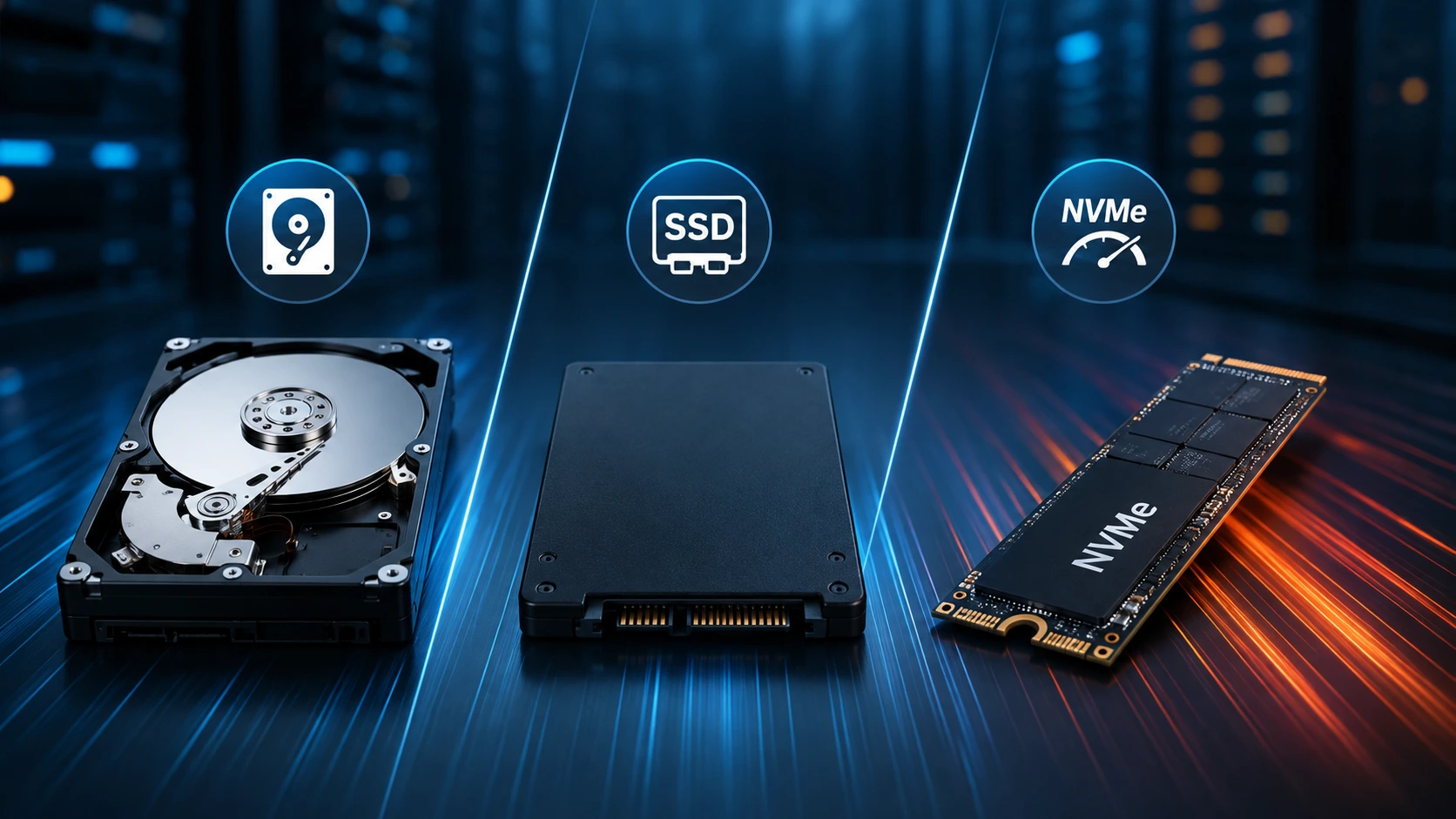
Stateful workloads such as databases, queues and search clusters are where infrastructure choices show up quickly. Dedicated servers can be configured with local NVMe or enterprise SSDs, which can provide high IOPS and low latency. The caveat: data on a local drive is tied to that node, so you need replication (for example through a distributed storage layer) or application-level clustering to survive node loss.
Cloud Kubernetes commonly uses network-attached block storage, managed file systems and object storage. Provisioning, snapshots and durability are simpler, but latency, throughput caps and price depend on the storage class. Teams with data-heavy workloads often evaluate storage dedicated servers with large drive capacity alongside NVMe-based nodes.
In both cases, test read/write latency, IOPS, sustained throughput and recovery time using your real access patterns.
Network latency and throughput
Kubernetes traffic flows through several layers: pod-to-pod, node-to-node, ingress, egress, storage traffic and calls to external APIs. On bare metal you control interfaces, VLANs, routing and bandwidth options, which helps high-throughput services such as streaming, media delivery, CDN origins and large data transfers. Plans such as unmetered dedicated servers can be attractive when sustained traffic would make per-gigabyte billing expensive, provided the port speed and fair-use terms match your use case.
Cloud platforms offer mature virtual networks, load balancers and regional backbones. Traffic between zones, between regions and out to the internet can add both latency and charges, so measure it before committing.
Location matters as much as hardware. Place the cluster near your users, APIs and data sources to remove avoidable delay, and compare dedicated servers by location when latency to a specific region is a requirement.
GPU and accelerated workloads
Machine learning training, inference and rendering workloads increasingly run on Kubernetes using GPU scheduling. Bare metal gives direct access to the GPU, which simplifies driver management and can avoid some sharing constraints. If this is your use case, review GPU dedicated servers for worker nodes that need acceleration, and size the cluster around GPU memory and interconnect needs.
3. Scalability, Flexibility and High Availability
Cloud Kubernetes is typically more convenient when demand changes quickly. Node groups and cluster autoscaling can add or remove capacity automatically, within provider quotas and with correct configuration. This suits seasonal applications, developer platforms and services with spiky traffic.
Bare metal scaling is driven by capacity planning. Adding nodes involves server availability, provisioning, network configuration and joining the node to the cluster, which can take longer than launching an instance. In return, you operate a known pool of dedicated resources and grow it when sustained demand justifies the investment. Many teams size bare metal for baseline load and handle short bursts differently (see the hybrid section below).
Both models can deliver high availability, but it has to be engineered:
Run three or more control-plane nodes so etcd keeps quorum.
Spread control-plane and worker nodes across independent failure domains where possible.
Use replicated storage or application-level replication for stateful services.
Keep tested, restorable backups and rehearse disaster recovery.
Use pod disruption budgets, anti-affinity and health probes at the application level.
A managed cloud control plane does not remove the need for application resilience, and dedicated hardware does not guarantee uptime without redundancy.
4. Security and Infrastructure Control
Bare metal provides control over hardware selection, operating-system hardening, network segmentation and low-level security policy. Single-tenant servers also remove exposure to other customers' workloads on the same host. Isolation is only one layer, however. You still need RBAC, secrets management, image scanning, network policies, patching, audit logging and protected backups.
Cloud providers run large security programs and offer integrated identity, encryption, policy and monitoring tools. These speed up secure deployments, but customers remain responsible for configuration and workload security under the shared responsibility model. The exact split depends on whether you use managed Kubernetes or self-managed Kubernetes on virtual machines.
For regulated workloads, review data residency, access control, encryption, audit requirements and the provider's documented compliance scope. Choosing bare metal or cloud does not make an environment compliant by itself.
5. Operations: Who Does the Work?
The operational gap is often smaller than expected, and larger than teams assume when they choose bare metal for the first time.
| Task | Bare metal (self-managed) | Managed cloud Kubernetes |
|---|---|---|
| Provision nodes | Order or deploy servers, install OS, join cluster | Create node groups through console, API or IaC |
| Control-plane upgrades | You plan and perform them | Often largely handled by the provider |
| Node patching | Your responsibility | Your responsibility (managed node options vary) |
| Load balancers | Self-configured (for example MetalLB, BGP, ingress) | Integrated cloud load balancers |
| Persistent storage | Local PVs or a distributed storage layer | Cloud storage classes and CSI drivers |
| Hardware failure | Provider replacement process plus cluster rescheduling | Abstracted away from you |
Infrastructure-as-code and automation close much of the gap. Teams that already use Terraform, Ansible or GitOps tools such as Argo CD or Flux usually find bare metal operations much more manageable.
When Should You Choose Bare Metal Kubernetes?
Bare metal is worth serious evaluation when your workloads show one or more of these traits:
Consistent, high utilization: applications use significant CPU, RAM or storage most of the month.
Performance-sensitive processing: databases, analytics, real-time services or compute-heavy jobs need predictable resources.
Heavy storage or network demand: configurable NVMe, large drive capacity or high-bandwidth ports matter.
Hardware-level control: you need specific CPU models, memory layouts or kernel and network tuning.
Predictable budgets: stable workloads make fixed monthly costs easy to forecast.
In-house expertise: your team can run Kubernetes and plan redundancy.
Common examples include database clusters, big-data and analytics platforms, game server fleets, media processing, CI/CD runners that run all day, and AI inference with steady demand.
When Is Cloud Kubernetes the Better Choice?
Cloud Kubernetes is often the better fit when:
Workloads are temporary, experimental or highly variable.
You need environments in minutes rather than waiting for hardware.
A managed control plane and integrated services reduce operational overhead.
You need rapid multi-region expansion or access to a broad managed-service ecosystem.
Demand drops substantially, so usage-based pricing removes idle capacity.
Your team has no capacity to manage physical infrastructure.
Cloud is not always the more expensive option. For low or intermittent utilization, paying only when resources are needed can beat maintaining dedicated capacity.
Can You Combine Bare Metal and Cloud Kubernetes?
Yes. A hybrid approach places steady, resource-intensive workloads on dedicated servers and uses cloud capacity for temporary jobs, burst traffic, testing or selected managed services. This balances predictable baseline costs with elastic flexibility.
Hybrid designs add work: secure connectivity, identity, observability, workload placement, data movement and cross-environment disaster recovery. Measure inter-environment latency and data-transfer charges before moving large datasets. Hybrid works best when each environment has a clearly defined role.
How to Benchmark Before You Decide
Do not decide from vendor specifications or synthetic scores alone. Build a representative test and run both environments under equivalent conditions.
Use the same application version, container images, Kubernetes version and dataset.
Measure CPU throughput, memory pressure, request latency (including p95 and p99), error rate and throughput.
Test storage IOPS, read/write latency and sustained throughput for stateful services.
Measure pod-to-pod, node-to-node and user-to-application latency and bandwidth.
Run tests at normal load, at peak load, during node maintenance and during failure scenarios.
Record the full monthly cost at the tested capacity, including storage, network, support and operations.
Repeat after tuning resource requests, limits, autoscaling and storage settings.
The best platform is the one that meets your service-level objectives at an acceptable total cost while staying operationally manageable.
Planning a Kubernetes Cluster on Dedicated Servers
For teams that choose a self-managed route, dedicated server hosting sits between owning a data centre and renting cloud instances. You get single-tenant access to the server's CPU, RAM and storage, with freedom to choose hardware and configure the operating environment.
KW Servers offers dedicated server configurations across global locations, including AMD and Intel platforms, GPU servers, storage-focused systems and a range of network capacities. These can be matched to worker-node roles such as general application processing, compute-intensive jobs or storage-heavy services. Actual suitability depends on the available configuration, cluster architecture and workload.
A practical starting checklist for Kubernetes dedicated servers:
Control plane: three nodes for production quorum, sized for etcd latency (fast SSD or NVMe matters).
Worker nodes: match CPU and RAM to pod requests, with headroom to absorb the loss of at least one node.
Storage: choose NVMe for latency-sensitive data, add replication, and keep external backups.
Network: select port speed and bandwidth terms that fit peak traffic, and plan private networking between nodes.
Location: place nodes close to users and dependencies, and consider a second location for disaster recovery.
Protection and support: confirm DDoS protection, support coverage and hardware replacement arrangements before launch.
Final Verdict: Bare Metal or Cloud for Kubernetes?
Kubernetes on bare metal and in the cloud solve the same orchestration problem with different economics and trade-offs. Bare metal can provide predictable access to physical resources and competitive long-term cost for stable, high-utilization workloads. Cloud Kubernetes offers fast provisioning, managed services and elastic capacity for variable or fast-changing applications. Many organizations land on a hybrid model.
Decide using measured workload performance and total cost of ownership. If your cluster runs continuously, consumes substantial compute and benefits from hardware control, compare dedicated servers as a serious option. If demand is unpredictable or your team prioritizes managed infrastructure, cloud may fit better.
The goal is not to follow the trendiest model. It is to build a platform that performs reliably, meets availability and security needs, and stays cost-effective as workloads grow.
Frequently Asked Questions
Is Kubernetes faster on bare metal than in the cloud?
It can be, especially for workloads that benefit from direct access to physical CPU, memory, storage or network resources. Results depend on hardware, instance type, storage, network design and cluster configuration, so benchmark your own workload on both platforms.
Is bare metal Kubernetes cheaper than cloud Kubernetes?
Bare metal is often more cost-effective for stable workloads that use substantial resources continuously, because dedicated server pricing is predictable. Cloud can cost less for intermittent or highly variable workloads. Compare total cost of ownership including storage, bandwidth, support and operations.
Can Kubernetes run directly on a dedicated server?
Yes. Kubernetes nodes can run on dedicated physical servers. A production cluster generally needs multiple nodes, a reliable control plane, networking, storage and recovery planning.
Do I need a dedicated server for Kubernetes?
No. Kubernetes also runs on cloud virtual machines, managed services and on-premises hardware. Dedicated servers make sense when workload requirements justify dedicated physical resources and your team can manage the cluster.
Can I use NVMe storage with Kubernetes on bare metal?
Yes. Servers with NVMe drives can provide high-performance local storage. For persistent data, plan how volumes are replicated, backed up and recovered if a node or drive fails.
Is cloud Kubernetes easier to manage?
Managed Kubernetes can reduce control-plane administration and integrates with cloud networking, storage and identity. You still manage workloads, access, security policy, resource sizing, observability and application reliability.
How many dedicated servers do I need for a production Kubernetes cluster?
A common production starting point is three control-plane nodes plus at least two or three workers, so the cluster tolerates the loss of a node. Smaller test or staging clusters can use fewer. Final sizing depends on workload, storage design and availability targets.
Can I use a hybrid bare metal and cloud Kubernetes architecture?
Yes. Many organizations run steady workloads on dedicated servers and use cloud capacity for bursts, temporary environments or selected managed services. Hybrid deployments need careful planning for connectivity, security, data movement and operations.