Introduction: Why "How Much RAM" Is the Wrong First Question
Every dedicated server buyer eventually asks the same question: how much RAM does a dedicated server need? It sounds simple, but there's no single number that applies to every setup. A server built for a small brochure website has completely different memory needs than one running a production PostgreSQL cluster or a fleet of virtual machines.
The honest answer is: it depends on what the server is actually doing. RAM sizing is a function of workload type, concurrent users, caching strategy, and how much headroom you want for growth—not a guess based on server specs alone.
This guide breaks dedicated server RAM requirements down by workload, so instead of overpaying for capacity you'll never touch or underprovisioning and fighting swap-related slowdowns, you can match your configuration to what you're actually running.
Quick-Reference RAM Guide
| RAM | Typical Workload |
|---|---|
| 16GB | Small websites, dev/test environments, lightweight services |
| 32GB | Growing sites, multiple websites, small-to-medium databases |
| 64GB | High-traffic sites, larger databases, game servers, entry-level virtualization |
| 128GB | Virtualization hosts, large databases, high-traffic applications |
| 256GB | Enterprise applications, high-density virtualization, analytics |
| 512GB+ | AI infrastructure, in-memory databases, large-scale HPC workloads |
The sections below explain the reasoning behind each tier and how to calculate what your own workload actually needs.
Why RAM Matters on a Dedicated Server
RAM (random access memory) holds the data your operating system and applications need to access instantly. Unlike disk storage, memory is built for speed—it's the difference between a database pulling an index from memory versus reading it off a drive.
Sufficient RAM directly affects:
-
Application responsiveness
-
Database query speed
-
Virtual machine density
-
File and object caching
-
Game server stability under load
-
Website capacity during traffic spikes
-
AI and data-processing throughput
When available memory runs out, the operating system starts swapping, moving data to disk-based swap space. Even fast NVMe storage is far slower than RAM for active processes, so heavy swapping shows up as latency, timeouts, and a server that "feels slow" even though CPU usage looks fine.
That said, RAM doesn't work in isolation. A server with 512GB of memory paired with an underpowered CPU or slow storage will still bottleneck. RAM, CPU, storage, and network capacity need to be sized together, a principle that comes up throughout this guide.
How to Calculate Dedicated Server RAM Requirements
Before picking a configuration, run through these five factors.
1. Identify Your Primary Workload
Start with whatever will consume the most memory:
-
WordPress sites need RAM for PHP workers, object caching, and database activity.
-
MySQL or PostgreSQL servers use memory for buffer pools and cached query data.
-
Virtualization hosts need enough RAM to allocate to every VM plus hypervisor overhead.
-
Minecraft and game servers scale with player count, mods, plugins, and world size.
-
AI servers need system RAM in addition to GPU VRAM.
-
Storage servers use RAM for caching, metadata, and file-system operations (ZFS ARC, for example).
Sizing around the actual workload rather than a round number that "sounds right" is the single biggest factor in getting dedicated server RAM sizing correct.
2. Measure Current Memory Usage
If you're migrating an existing app, monitor its real consumption before you buy:
-
Average and peak memory usage
-
Swap activity
-
Memory spikes during traffic peaks
-
Database cache requirements
-
Concurrent users or processes
A workload averaging 20GB but peaking at 30GB shouldn't be squeezed onto a 32GB server once OS overhead is factored in.
3. Plan for Growth, Not Just Today
Dedicated servers tend to run long-lived workloads. Traffic, database size, VM count, and user base all grow. Leave headroom rather than provisioning at exactly today's usage; it buys you room for spikes, updates, and new services without a mid-cycle upgrade.
4. Balance RAM Against CPU
There's no universal CPU-to-RAM ratio; it depends entirely on the application. A high-core virtualization host needs proportionally more RAM because every VM claims its own allocation. A database server with many cores benefits from enough memory to keep active indexes resident rather than hitting disk.
5. Factor In Storage Performance
RAM and storage solve different problems. NVMe SSDs deliver excellent I/O, but they are not a substitute for adequate memory if an application is swapping constantly; fast storage only softens the pain; it doesn't remove it. For demanding databases and virtualization, pairing sufficient RAM with fast NVMe storage typically outperforms upgrading either component alone.
Dedicated Server RAM by Configuration Tier
16GB RAM Dedicated Servers
Best for: small workloads with predictable resource needs.
Typical use cases:
-
Small business websites
-
Low-traffic web applications
-
Development and testing environments
-
Lightweight Linux services and control panels
-
Basic game servers
-
Small databases
-
VPN and networking services
A 16GB dedicated server is a reasonable entry point when demand is light and predictable. It can start to feel restrictive once you're running multiple demanding services, larger databases, several containers, or memory-heavy caching layers; at that point, 32GB is the natural next step.
32GB RAM Dedicated Servers
Best for: growing websites, applications, and multi-service environments.
Typical use cases:
-
Multiple websites
-
WordPress and e-commerce hosting
-
Application servers
-
Small-to-medium databases
-
Docker workloads
-
Moderate game servers
-
Business applications
32GB is often the practical starting point for small-to-medium business workloads—enough memory for the OS, web server, PHP processes, database services, and caching, depending on traffic and application design.
64GB RAM Dedicated Servers
Best for: performance-oriented websites, databases, gaming, and multi-service deployments.
Typical use cases:
-
High-traffic websites
-
Larger WordPress/WooCommerce environments
-
MySQL and PostgreSQL databases
-
Game server hosting
-
Multiple Docker containers
-
Entry-level virtualization
-
Media and content delivery workloads
64GB is a popular middle ground: enough headroom for a web app, database, cache, background workers, and monitoring tools to run together without constant memory pressure, while still being cost-efficient.
128GB RAM Dedicated Servers
Best for: virtualization, large databases, high-traffic services, and demanding business applications.
Typical use cases:
-
Large databases
-
High-traffic websites and applications
-
Virtualization hosts
-
Multiple production applications
-
Large game server environments
-
Data analytics and enterprise software
Virtualization is one of the strongest reasons to move to 128GB. A host running ten VMs at 8–16GB each can consume most of that capacity before even accounting for the hypervisor. The extra headroom also supports more aggressive database caching, which can meaningfully reduce disk reads.
256GB RAM Dedicated Servers
Best for: enterprise workloads, large databases, analytics, and high-density virtualization.
Typical use cases:
-
High-density virtualization
-
Large MySQL/PostgreSQL deployments
-
Enterprise applications
-
Large caching environments
-
Big data processing and HPC workloads
At this tier, memory planning has to be paired with a CPU and storage configuration capable of keeping up; 256GB of RAM behind an underpowered processor just moves the bottleneck elsewhere.
512GB+ RAM Dedicated Servers
Best for: advanced infrastructure with clearly demonstrated high memory requirements.
Typical use cases:
-
Large virtualization clusters
-
In-memory databases
-
AI and machine learning infrastructure
-
Large-scale analytics and scientific computing
These configurations are usually paired with high-core-count CPUs, enterprise NVMe storage, and high-speed networking. For AI workloads specifically, system RAM needs vary by model size, framework, dataset, and GPU configuration—and system RAM is a separate consideration from GPU VRAM, which has its own capacity limits. A 512GB+ server should be chosen based on measured workload data, not a general estimate.
RAM Requirements by Use Case
How Much RAM for Web Hosting?
Web hosting memory needs depend on the number of sites, concurrent traffic, CMS type, PHP worker count, database size, and caching setup.
-
Small websites: 16GB–32GB
-
Growing websites: 32GB–64GB
-
High-traffic or multi-site environments: 64GB–128GB+
-
Large hosting platforms: 128GB+
Traffic alone doesn't determine RAM needs; application efficiency and caching architecture matter just as much.
How Much RAM for Database Servers?
Databases are among the most memory-sensitive workloads. MySQL, MariaDB, PostgreSQL, and MongoDB all lean on RAM for buffer pools, query caching, indexes, active connections, and temporary operations.
-
Small databases: 16GB–32GB
-
Medium production databases: 32GB–64GB
-
Large databases: 64GB–128GB
-
High-demand databases: 128GB–256GB+
More RAM won't fix inefficient queries or poor schema design; it needs to be paired with fast NVMe storage and a capable CPU.
How Much RAM for Minecraft and Game Servers?
Game server memory scales with the game, player count, map size, mods, and plugins.
-
Small/lightweight game servers: 16GB–32GB
-
Medium game hosting: 32GB–64GB
-
Large communities or multiple instances: 64GB–128GB+
-
Large-scale game hosting: 128GB+
CPU clock speed and network latency matter just as much as RAM for player experience; memory alone won't fix a laggy server.
How Much RAM for Virtualization?
Virtualization is one of the easier workloads to size, since VMs require assigned memory. Calculate:
Total VM memory allocations + hypervisor overhead + OS overhead + management tools + headroom
If your VMs need a combined 80GB, a 96GB or 128GB server is more realistic than one sized to exactly 80GB.
-
Small VM environments: 32GB–64GB
-
Moderate virtualization: 64GB–128GB
-
Large virtualization workloads: 128GB–256GB
-
High-density virtualization: 256GB+
Hypervisors like Proxmox, VMware, Hyper-V, and KVM handle memory overcommitment differently. Overcommitting can raise VM density, but pushing it too far causes contention when multiple VMs need memory at once.
How Much RAM for AI Workloads?
AI memory needs vary by model size, dataset size, training vs. inference, GPU type and count, framework, and batch size.
-
Smaller AI workloads: 64GB
-
Larger AI applications: 128GB–256GB
-
Demanding data pipelines and enterprise AI infrastructure: 512GB+
It's important to separate system RAM from GPU VRAM; a server can have abundant system memory while still being VRAM-limited for a specific model. AI infrastructure should be sized as a full system: CPU, RAM, GPU, storage, and network together.
How Much RAM for Storage Servers?
Storage servers use RAM for file caching, metadata, ZFS ARC, indexing, and backup processes; how much depends on the OS, file system, and caching strategy.
-
Basic file storage: 16GB–32GB
-
Small business storage: 32GB–64GB
-
Larger storage servers: 64GB–128GB
-
Advanced ZFS or high-capacity environments: 128GB+
RAM vs. CPU: Which Should You Upgrade First?
It depends on where the bottleneck actually is.
Upgrade RAM when:
-
Memory usage stays consistently high
-
The server is regularly hitting swap
-
Database caches can't hold active data
-
VMs don't have enough allocated memory
Upgrade CPU when:
-
CPU usage stays consistently high despite available memory
-
Processing is slow with plenty of free RAM
-
You're short on cores, or single-thread performance is the limit
The best dedicated server configuration balances CPU, RAM, storage, and bandwidth; maximizing one component in isolation rarely solves the actual problem.
RAM vs. NVMe Storage: Fast Storage Isn't a RAM Substitute
NVMe storage delivers excellent IOPS for databases, VMs, and I/O-heavy applications, but it doesn't replace memory. RAM is built for active operations; storage is built for persistence. When a server runs short on memory, swapping to even the fastest NVMe drive still adds latency that RAM wouldn't have.
The more effective approach for demanding workloads: adequate RAM for active processes, NVMe for fast persistent storage, a CPU sized to the workload, and reliable network capacity—not one component compensating for another.
Dedicated Server RAM Checklist Before You Buy
-
What applications will run on the server?
-
How much memory do they currently use?
-
What's the highest expected memory usage?
-
How many concurrent users or processes will it support?
-
Will the workload grow over the next 6–12 months?
-
Does it run databases or caching platforms?
-
Will you run VMs or containers?
-
Is storage performance also a constraint?
-
Does the CPU have enough capacity for the workload?
-
Do you need extra memory for redundancy or future expansion?
Monitoring actual usage over time, not a one-off snapshot, is the most reliable way to refine your configuration.
Common Mistakes When Choosing Dedicated Server RAM
-
Picking the cheapest configuration without measuring requirements. Insufficient memory tends to cost more in lost performance than it saves upfront.
-
Sizing RAM by traffic alone. Two sites with similar traffic can have very different memory needs depending on caching, plugins, and database design.
-
Ignoring peak usage. Average memory usage hides traffic spikes, scheduled jobs, and backup windows.
-
Overbuying RAM without confirming the real bottleneck. More memory won't fix CPU-bound applications, slow networking, or inefficient queries.
-
Forgetting virtualization overhead. VMs and containers consume resources beyond what runs inside them—leave capacity for the host and management tools.
-
Not planning for growth. A well-sized server today can become undersized as databases and traffic scale.
How to Monitor Dedicated Server RAM Usage
After deployment, track memory usage on an ongoing basis using tools
like free, top, htop, vmstat,
Prometheus, Grafana, or Netdata. Useful metrics include total and available RAM, swap
usage, page faults, application memory consumption, database buffer usage, and VM
allocations. Usage patterns shift during busy hours, backups, and updates, so long-term
monitoring is far more useful than a single check.
Which Dedicated Server RAM Configuration Should You Choose?
-
16GB: lightweight websites, dev environments, small services
-
32GB: growing websites, applications, moderate databases, multiple services
-
64GB: a strong all-around choice for busy sites, databases, gaming, and multi-service setups
-
128GB: virtualization, large databases, high-traffic applications, demanding business software
-
256GB: enterprise workloads, large databases, analytics, high-density virtualization
-
512GB+: large-scale virtualization, AI, in-memory workloads, and HPC infrastructure
Final Thoughts
There's no universal answer to how much RAM a dedicated server needs; it comes down to what you're running, how many users you're supporting, and how quickly the workload is likely to grow. Lightweight workloads are usually fine at 16–32GB; growing applications, databases, and gaming setups often do better at 64–128GB; and enterprise virtualization, AI, and analytics workloads may call for 256GB or more.
At KW Servers, dedicated servers can be configured across this entire range, from single-site hosting to databases, virtualization, storage, gaming, and AI infrastructure. When sizing your server, weigh RAM alongside CPU, storage, bandwidth, and data center location rather than optimizing memory in isolation. Explore KW Servers' dedicated server configurations→
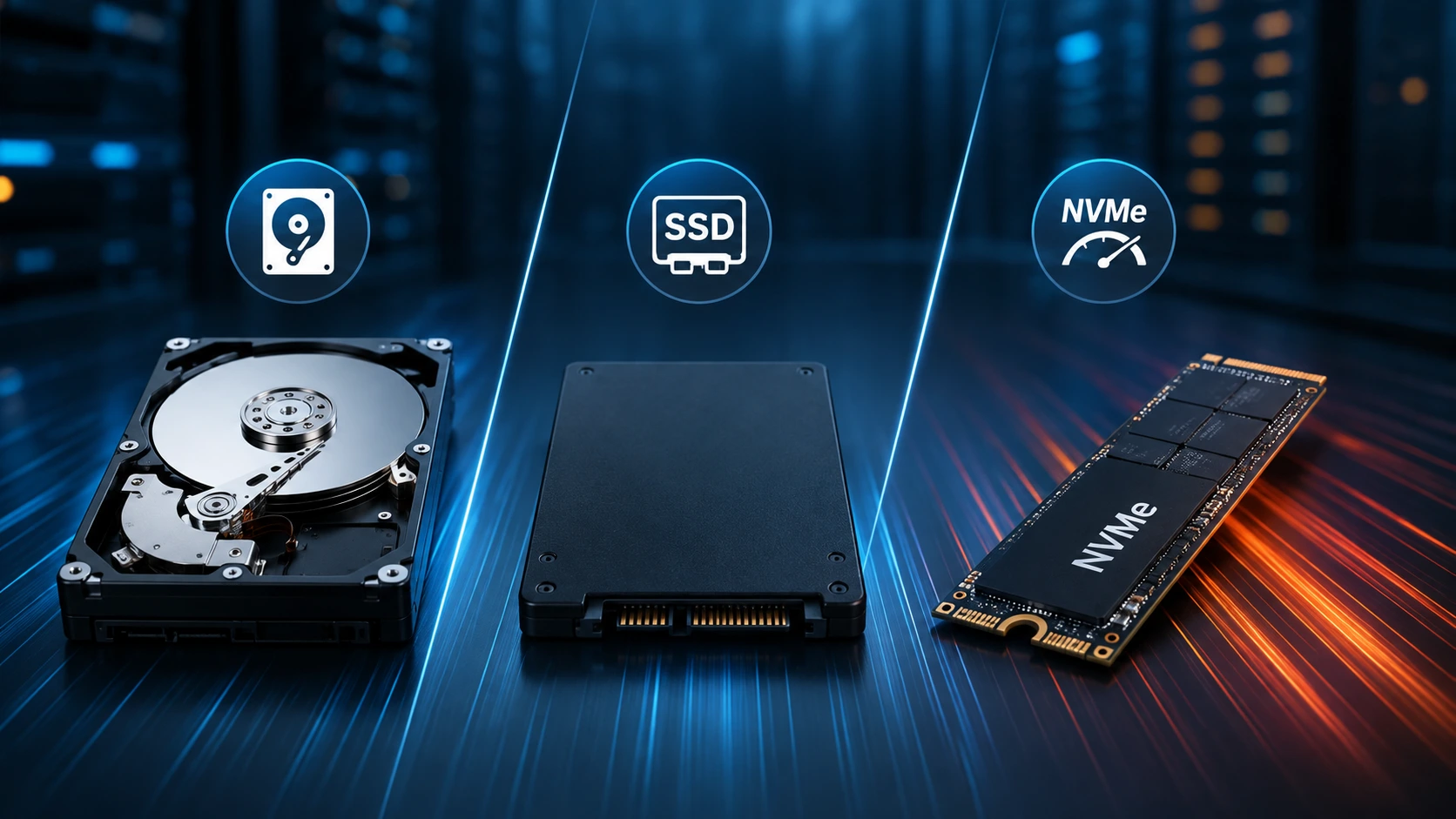
If you're actively provisioning for a database workload, see our related guide on HDD vs. SSD vs. NVMe storage for dedicated servers—RAM and storage sizing go hand in hand.
Frequently Asked Questions
How much RAM does a dedicated server need?
Anywhere from 16GB to 512GB+, depending on the workload. Small websites often run fine on 16–32GB, while virtualization, databases, AI, and enterprise workloads may need 128GB, 256GB, or more.
Is 64GB RAM enough for a dedicated server?
For many workloads, yes, 64GB suits busy websites, databases, game servers, multiple applications, and entry-level virtualization. The right amount still depends on your specific software and traffic.
Is 128GB RAM good for a dedicated server?
Yes. 128GB is a strong fit for demanding applications, larger databases, virtualization, high-traffic websites, and business infrastructure.
How much RAM do I need for a database server?
Small databases can run on 16–32GB; larger production databases often need 64–128GB or more, depending on data size, indexes, queries, and concurrent connections.
How much RAM do I need for virtualization?
Add up your VMs' memory allocations, then include headroom for the hypervisor, OS, and management tools. Many virtualization servers start at 64–128GB, while high-density setups may need 256GB or more.
Does more RAM make a dedicated server faster?
Only if memory is the actual bottleneck. Adding RAM won't help if the real constraint is CPU, storage, network capacity, or inefficient software.
Should I choose more RAM or faster NVMe storage?
They solve different problems: RAM improves active memory capacity and responsiveness; NVMe improves persistent I/O. Most demanding workloads need both.
How often should I review my dedicated server RAM requirements?
Review usage regularly, especially after traffic growth, application changes, database expansion, or new services. Ongoing monitoring gives a far more accurate picture than a one-time check.